What is whiteboard animation and how to make one in your browser
Learn what whiteboard animation is, why hand-drawn videos hold attention so well, and how to make your own in the browser without installing anything.
Whiteboard animation is the video style where a hand appears on screen and draws an illustration stroke by stroke while the story unfolds. It started as an imitation of a real whiteboard and became one of the most popular formats for explainer videos, online lessons and marketing campaigns. In this guide you will learn how it works, why it is so effective and how to make your own with Editor de Vídeo Online in a few minutes.
What is whiteboard animation?
Whiteboard animation (also called a hand-drawn video, doodle video or drawing animation) reveals an image gradually, as if someone were sketching it live. Instead of characters moving like in a cartoon, the motion lives in the act of drawing: the hand travels across the paper and the picture emerges.
The result is simple, clean and easy to follow. The viewer's eye tracks the pencil tip, and the brain stays curious about what will appear next.
Why hand-drawn videos work so well
There are practical reasons this format has stayed popular for over a decade:
- Constant curiosity: every stroke creates a small question ("what is it drawing?"), which keeps people watching.
- One idea at a time: the drawing appears in the same order as the explanation, so viewers are never lost among too many elements.
- A human feel: the hand and the imperfect line feel personal, unlike overly polished animation.
- Affordable production: you do not animate frame by frame. A single sketch becomes a complete video.
- Works for any topic: finance, biology, customer onboarding, cooking — you name it.
Where to use whiteboard animation
| Use case | Example | Best format |
|---|---|---|
| Education | Explain photosynthesis in 60 seconds | Landscape 16:9 |
| Marketing | Show how your service solves a problem | Vertical 9:16 or square |
| Social media | Reels and Shorts with a quick tip | Vertical 9:16 |
| Companies | Internal training and onboarding | Landscape 16:9 |
| Creators | Video intros and podcast illustrations | Any |
How to make a whiteboard animation with Editor de Vídeo Online
Editor de Vídeo Online is built for people who do not want to install heavy software or learn animation. It runs in Google Chrome or Microsoft Edge and works with the image you already have. (The interface is in Portuguese; we show the button labels in parentheses.)
- Open Editor de Vídeo Online and pick the Hand drawing mode (“Mão desenhando”) in the top bar.
- Upload your sketch (PNG or JPG). You can also drop the image straight onto the preview.
- Choose the hand: default, with a sleeve, or a photo of your own hand. Click the thumbnail to mark where the pencil tip is.
- Tune the stroke: stroke sensitivity, brush thickness and hand size (up to 400%).
- Pick a background: the artwork's own paper, kraft, beige, white, chalkboard, notebook and more.
- Click Generate animation (“Gerar animação”) and check the preview with the timeline scrubber.
- Click Record video (“Gravar vídeo”). The file downloads as an MP4 named
editorvideo_date_time.mp4.
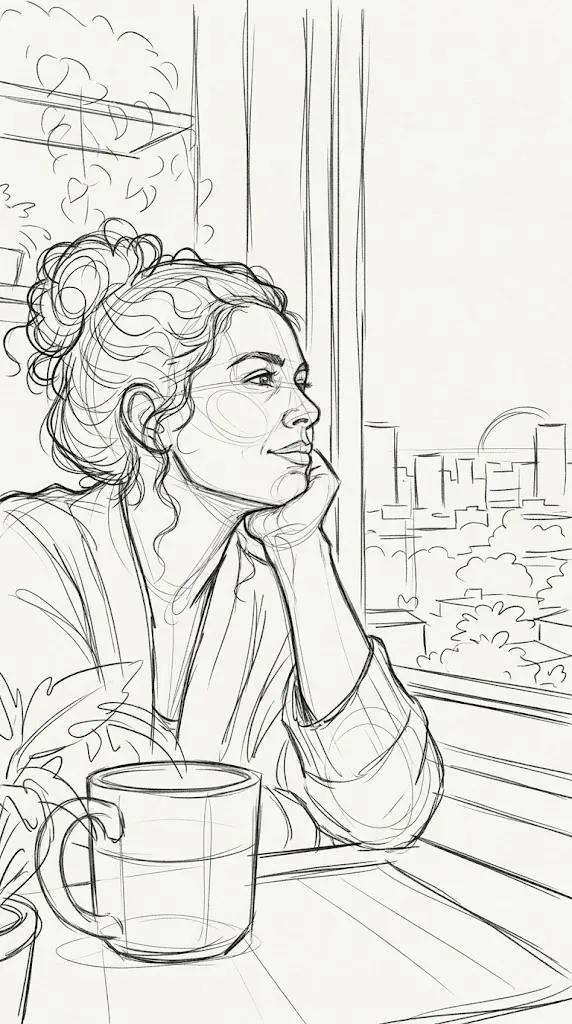
The sketch above is a good example: dark lines, a light background and no heavy fills. The cleaner the drawing, the more natural the hand movement looks. To go deeper, read how to prepare a sketch for whiteboard animation.
What makes a great whiteboard video
A clean drawing
Dark lines on a light background are easy to read for both the algorithm and the viewer. Avoid fine textured shading and stained backgrounds.
The right pace
Too slow gets boring; too fast leaves no time to understand. Match the duration to your narration and use the preview scrubber to check the key moments.
One message per scene
If the topic is big, split it into several scenes and put them together in the Studio (“Estúdio”), Editor de Vídeo Online's editing area. That way each drawing explains one idea. See how to edit the final video on the timeline.
Mistakes to avoid
- Using photos instead of drawings (the hand ends up "drawing" noise).
- Putting too much text in a single scene.
- Forgetting the social network's aspect ratio before drawing.
- Recording with the tab hidden: recording happens in real time, so keep the tab open and visible.
There is a full list in common whiteboard video mistakes.
Frequently asked questions
Is whiteboard animation the same as a "videoscribe"?
In practice, yes. VideoScribe is the name of a program that popularized the style, so many people use the word as a synonym for hand-drawn videos.
Do I need to know how to draw?
No. You can use an AI-generated sketch, a scanned drawing or ready-made line art. Editor de Vídeo Online's AI Prompts gallery (“Prompts IA”) includes prompts that produce sketches which animate well.
What is the ideal length for a whiteboard video?
For social media, 15 to 60 seconds. For lessons and explainers, 1 to 3 minutes usually works well, split into short scenes.
What file format do I get?
Editor de Vídeo Online records MP4. On older browsers the file may come out as WebM; if so, update your browser or convert it with ffmpeg, as explained in how to convert WebM to MP4.
Conclusion
Whiteboard animation is still one of the simplest and most effective ways to explain an idea on video. With a good sketch and a few tweaks, you can turn a still image into a video that holds attention from start to finish. Open Editor de Vídeo Online and try it with your first drawing.
Make your animated video now
Editor de Vídeo Online runs in your browser (Chrome or Edge): upload an image, pick a style and record an MP4. Nothing to install.
Try Editor de Vídeo Online →
Editor de Vídeo Online Team
Written by the Editor de Vídeo Online team, the in-browser animation tool for hand-drawn whiteboard videos, Vox-style collages and paper cutout effects.